+44 753 718 3990
  hello@devmontdigital.io
To new businesses, give you the expertise, approaches, and techniques you should know to be a super hero.
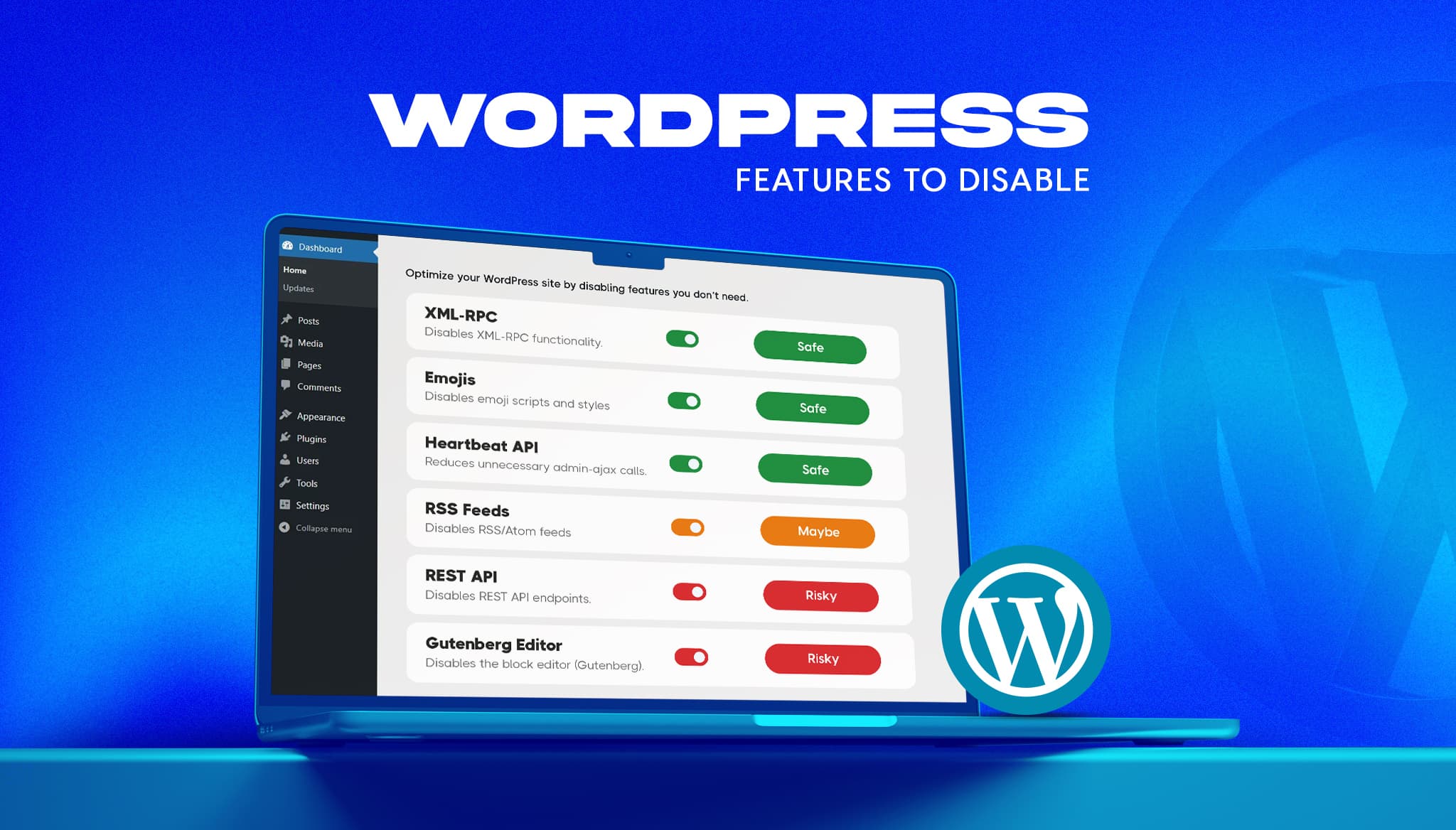
A fresh WordPress install ships with features most business sites never use. Some add background requests, one opens a well-known login attack path, and a few load code on every page for a nice-to-have. The usual advice online is to switch them all off. That advice breaks sites.
This guide gives a verdict on the six features people disable most often: XML-RPC, emojis, the Heartbeat API, RSS feeds, the REST API, and the Gutenberg block editor. Three are safe for most sites, one depends on how you publish, and two can take your editor or your plugins down with them.
Treat each switch as a production change, not a tidy-up.
We build and maintain WordPress sites at Devmont Digital and publish a set of free WordPress plugins, so we run into these trade-offs on live projects. The verdicts below reflect that.
XML-RPC (xmlrpc.php) is an older remote-access interface. Core WordPress does not need it for the editor or the admin. It is worth closing because one of its methods, system.multicall, lets an attacker test many passwords in a single request, which can slip past tools that count failed logins per request.
What you lose: Jetpack connects through XML-RPC, and so do some older remote-publishing tools. If you use neither, turn it off.
add_filter( 'xmlrpc_enabled', '__return_false' );This makes WordPress refuse XML-RPC calls, but the request still reaches PHP. Blocking xmlrpc.php at the server level stops it sooner.
WordPress loads an emoji detection script and extra styles so older browsers can render emoji. Current browsers do it natively. Removing the code takes one script and one stylesheet off every page. The only visible cost is emoji showing as plain boxes on very old browsers.
remove_action( 'wp_head', 'print_emoji_detection_script', 7 );
remove_action( 'wp_print_styles', 'print_emoji_styles' );
remove_action( 'admin_print_scripts', 'print_emoji_detection_script' );
remove_action( 'admin_print_styles', 'print_emoji_styles' );
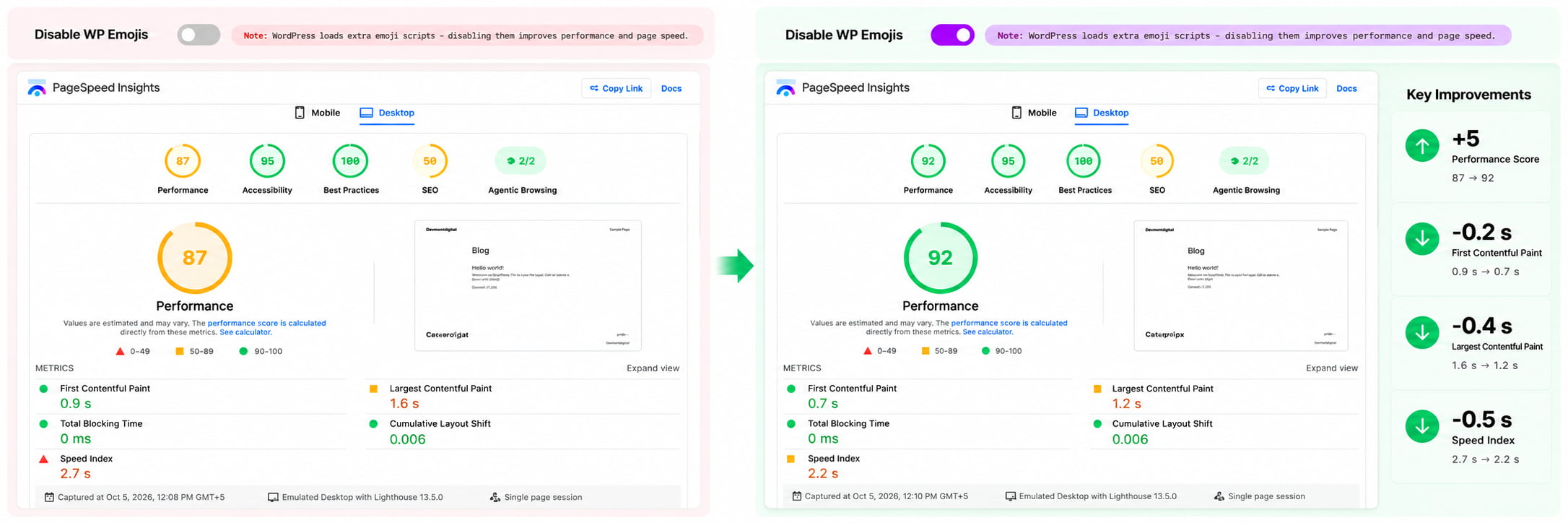
Measure the gain instead of assuming it. Run PageSpeed Insights before and after, and record your own request count and page weight.
Heartbeat is a background ping between the browser and the server, every 15 to 60 seconds depending on the screen. It powers post locking, autosave in the classic editor, and the “session expired” login prompt. With several people logged in, those pings add up as admin-ajax requests, which adds server load on modest hosting plans.
The trade-off: with Heartbeat off, post locking goes too, so two people can overwrite each other’s edits without a warning. A solo editor can switch it off safely. A team should slow it down instead:
add_filter( 'heartbeat_settings', function ( $settings ) {
    $settings['interval'] = 60;
    return $settings;
} );
WordPress accepts intervals from 15 to 120 seconds.
Turning off RSS removes your /feed/ URLs. On a brochure site with no blog, that is a clean-up with no downside. On a site where content marketing is a channel, it is a mistake.
Check whether any of these use your feed before you switch it off:
If none apply, disable it. If you are unsure, leave it on.
The REST API is how WordPress talks to itself and to other software. The block editor depends on it, and so do many plugins: form plugins, ecommerce admin screens, page builders, and headless front ends. Switch it off completely and the usual result is a broken editor and error messages in plugin screens.
The real concern behind this request is usually exposure, since the API can list public author usernames by default. The better fix is to restrict what logged-out visitors can reach rather than removing the API. Even that needs testing: some contact form plugins submit through REST for anonymous visitors, so submit every form after any change.
The Disable Unused Features plugin’s REST API toggle blocks REST API requests completely, including requests from logged-in users, rather than restricting access only for logged-out visitors. Because the block editor and many plugins depend on the REST API, use this switch only on a site where you have tested the editor, forms, integrations, and plugin workflows.
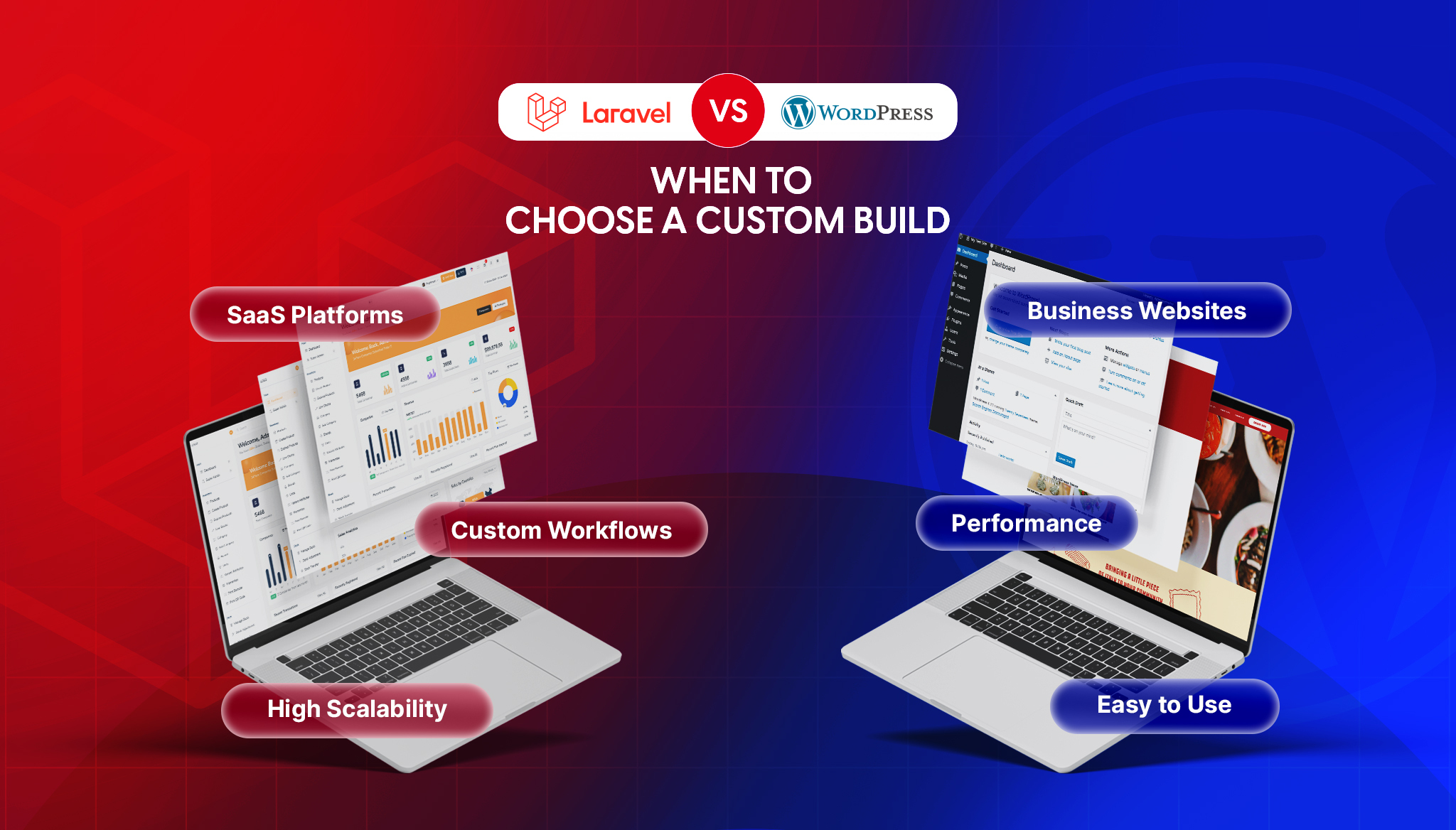
If you find yourself disabling half of WordPress to make it behave like an app backend, step back and ask whether WordPress is the right foundation. We covered that decision in our Laravel vs WordPress comparison.
Disabling Gutenberg brings back the classic editor. That is reasonable when your team builds in a page builder, runs a classic workflow, or serves a headless front end. It is risky when you use a block theme, block-based patterns, or plugins that ship their own blocks, because those stop working. WordPress development is block-first, so disabling Gutenberg usually delays a migration rather than avoiding it. Do it only with a specific reason.
The snippets above work. The problem is where they end up: scattered through functions.php, lost when the theme changes, and documented by nobody. That is a code handover problem. The next developer finds missing features with no explanation.
We built Disable Unused Features, a free plugin that puts XML-RPC, emojis, RSS, Gutenberg, the REST API, and Heartbeat on a single settings screen (Settings → Disable WP Features). Each is its own toggle, and nothing is saved until you switch something on. A visible toggle screen is easier to hand over and reverse than a pile of snippets.
One caution: the plugin turns Heartbeat off completely. If you have several editors, use the throttling snippet above instead.
If you would rather have someone review which switches are right for your stack, that is part of our WordPress development and maintenance work. Switches like these are small wins; most real slowness comes from elsewhere, which we cover in our guide to debugging memory leaks in React JS apps.
| Feature | Verdict | What can break |
|---|---|---|
| XML-RPC | Safe | Jetpack, older remote-publishing tools |
| Emojis | Safe | Emoji display on very old browsers |
| Heartbeat API | Safe for solo editors | Post locking, session-expired prompt |
| RSS feeds | Depends | Newsletter-from-feed, podcasts, syndication, readers |
| REST API | Risky | Block editor, many plugins, forms, headless front ends |
| Gutenberg | Risky | Block themes, block-based plugins |
Disable Unused Features is free on WordPress.org and listed with our other plugins on our products page. If it saves you time, a short review on the listing helps other site owners find it.
If you’re comparing Laravel and WordPress, you’ve probably already been given a useless answer: “it depends.” It does depend, but on things specific enough to actually decide with. The two aren’t really competitors. WordPress is a content management system, and Laravel is a framework for building applications. Asking which is “better” is like asking whether […]
Read moreKeeping an app fresh and running smoothly means updates are part of the regular routine.
Read moreDesigning for mobile isn’t just about shrinking everything down to fit a smaller screen. It’s about making sure users can move through an app or website with ease, no matter where they are or what device they’re using.
Read more