+44 753 718 3990
 hello@devmontdigital.io

To new businesses, give you the expertise, approaches, and techniques you should know to be a super hero.
Put them near the top of the page, directly under the header and above the page title. That is where visitors expect to find them, and it keeps the trail separate from the content. Use the same position on every template so readers learn where to look.
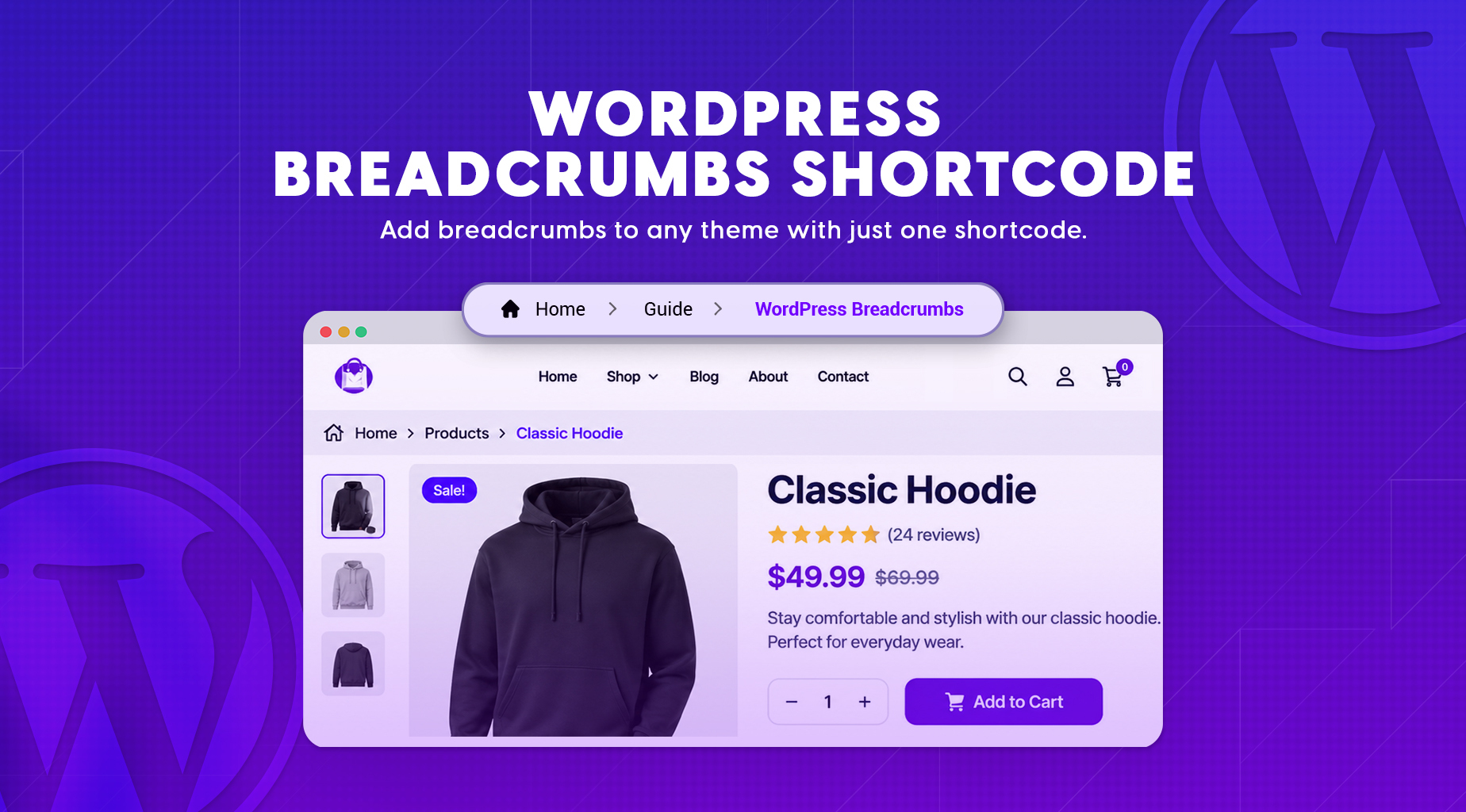
Breadcrumbs fix that. They are the small trail near the top of a page (Home > Guides > This Post) that shows where a page sits and links to every level above it. This guide shows how to add one to any WordPress theme with a single shortcode, how it compares with the alternatives, and what to check so the trail is accurate.
A breadcrumb trail does three jobs. For readers, it answers “where am I?” without a click. For site structure, it adds a link from every page to its parent, which spreads internal links up the hierarchy instead of leaving deep pages isolated. And for search engines, a trail that matches your real structure makes the relationship between pages clearer. Google also documents a separate BreadcrumbList structured data format, which is something to know about but is not the same as the visible trail.
We built Essential Theme Helpers for exactly this kind of small, repeatable job. It is one of our free WordPress plugins, and the breadcrumb shortcode is the part most sites will want first. First, how the options compare.
| Approach | Effort | Control | Best for |
|---|---|---|---|
| Theme setting | Lowest | Whatever the theme offers | Themes that already include breadcrumbs |
| SEO plugin (Yoast SEO, Rank Math) | Low | Trail plus structured data, set in the SEO plugin | SEO plugin (Yoast SEO, Rank Math) Low Trail plus structured data, set in the SEO plugin Sites already running one of them |
| Dedicated breadcrumb plugin (Breadcrumb NavXT) | Medium | Very detailed trail rules | Complex taxonomies and custom post types |
| Essential Theme Helpers shortcode | Low | One shortcode, placed anywhere shortcodes or template code work | Custom themes, page builders and sites without an SEO plugin |
If you already run Yoast SEO or Rank Math, use the breadcrumbs they provide. They are built into tools you already maintain, and adding a second trail creates duplicates. Choose the shortcode when you have no SEO plugin, when you build custom themes for clients, or when you want to place the trail in a specific spot in a template without editing a plugin’s settings.
In your WordPress admin, go to Plugins, then Add New, search for Essential Theme Helpers, and click Install and then Activate. You can also get it from its WordPress.org page. It needs WordPress 6.0 or higher and PHP 7.4 or higher.
The shortcode is:
Paste it into any post, page, or widget area that accepts shortcodes. For a site-wide trail, you want it in the template, not in individual posts. In a classic theme, add this to header.php under your header, or to single.php and page.php above the title:
In a block theme, open the Site Editor, edit the template you want (for example Single Post), and add a Shortcode block above the post title. Edit the Page template the same way.
Place the trail above the page title, directly under the header. It is the position readers expect, and it keeps the trail out of the way of the content.
Open five kinds of pages and read the trail on each one. Do not trust that it is correct because it appears.
| Page type | What to check |
|---|---|
| A top-level page | The trail should show Home and the page, nothing extra |
| A child page | Every parent page should appear, in order, and each should link |
| A blog post | A blog post The trail should reflect your category structure |
| A post in two categories | Check which category the trail picks, and whether that is the one you want |
| A category or archive page | Confirm the trail ends on the archive, not a stray post |
The most common mistake is a post filed under several categories. The trail can only show one path, so assign a primary category to every post that matters. A trail that shows an odd parent confuses readers more than no trail at all.
The listing says the output carries CSS classes, so you can override the styling from your theme’s stylesheet. Inspect a rendered page in your browser, find the wrapper class around the trail, and target it:
On a phone, a long trail wraps onto several lines and pushes the title down. Keep page and category names short, and test it on a real device. Our mobile interface design guide covers tap targets and layouts that hold up on small screens.
Essential Theme Helpers is a small toolkit, not a single-purpose breadcrumb plugin. The listing documents three more shortcodes: [essethhe_related_posts count="3"] for related posts by category, [essethhe_author_box] for an author bio with name, avatar and description, and [essethhe_post_meta] for the author, date and categories. Its settings page, under the Essential Theme Helpers menu, is modular, so you can turn pieces on and off. If you build the same components into every client theme, this removes a lot of repeat code.
| What you see | Likely cause | Fix |
|---|---|---|
| The shortcode prints as plain text | The plugin is not active, the name is misspelled, or the code sits in a template without do_shortcode() | Activate the plugin, check the spelling, and wrap template use in do_shortcode() |
| Two trails on the page | Your theme or SEO plugin already outputs one | Remove one. Keep the one your SEO plugin controls |
| The wrong parent in the trail | A post has several categories | Set a primary category, or remove the extra ones |
| The trail breaks after a redesign | Page parents or URLs changed | Re-check parents, and follow our site migration checklist before changing structure |
Write down where the shortcode lives: which template files, which theme, which pages. A trail added in a template is invisible to whoever edits content later, and it disappears if someone changes the theme. If you want help building reusable components like this into a custom theme, that is part of our WordPress development work.

Content Manager at Devmont Digital
Your Laravel app works. Nobody wants to touch it. Then a host drops an old PHP version, a security scanner flags a package, or a new developer refuses to work on a version that stopped getting patches years ago. The longer the upgrade waits, the more versions it has to cross, and every version adds its own breaking changes.
Read moreA reader opens your 2,000-word guide looking for one answer. They scroll, lose their place, scroll back up, and leave. Long posts only work when readers can jump to the part they came for, and WordPress does not ship a table of contents that does that. This guide shows three ways to add a sticky […]
Read moreYou hand a client a finished website. The design is theirs, the copy is theirs, and then they open wp-login.php for the first time and see the WordPress logo. Click it and it opens wordpress.org. To a client who just paid for a custom brand, that looks like unfinished work, and it is the page their whole team sees every day.
Read more